Upgrade Steps
Please download the firmware:Burning_Tool_and_Program.zip
You must use a Windows computer to perform the upgrade (desktop, all-in-one, or laptop is fine, but the computer must support USB data transfer). You must select the corresponding program according to the PID, otherwise you will damage the PCBA board!!!
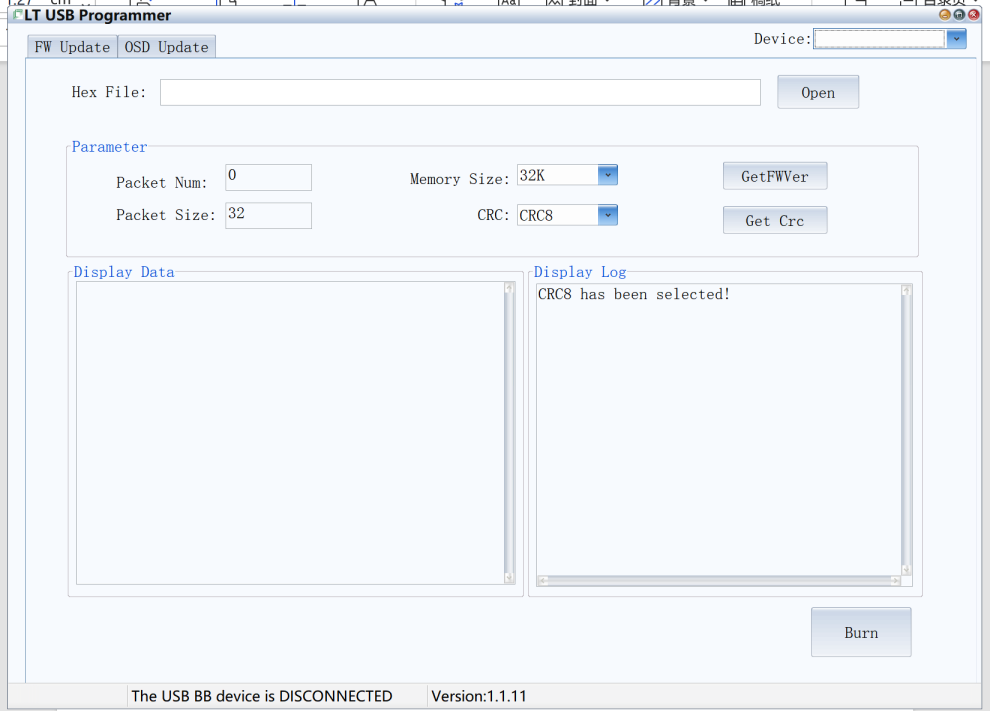
1. First, unzip the program package and open the file: LT USBProgrammer_Forwhyin(1)
2. A C to C cable that supports USB 2.0 data transfer is needed, with one end connected to the computer and the other end connected to the product's PD port.
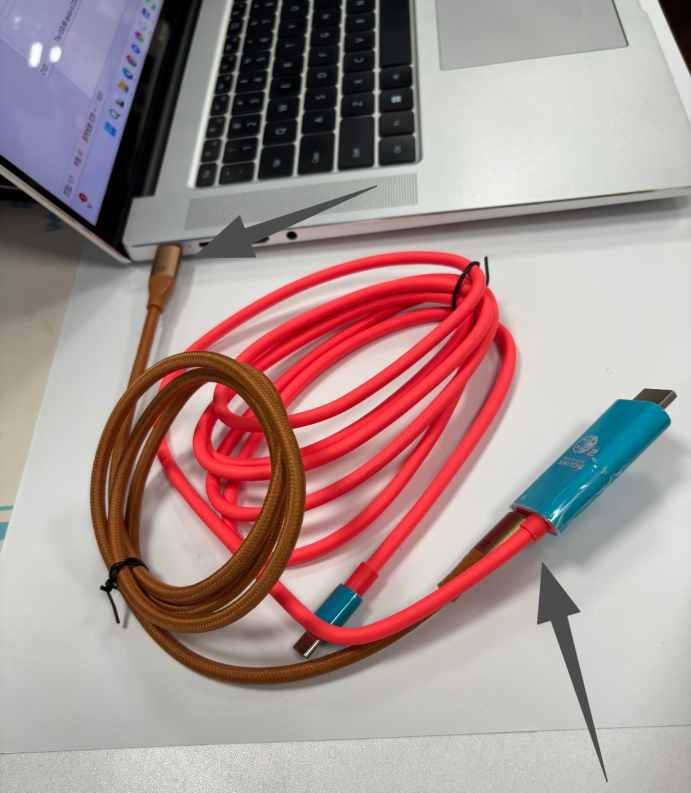
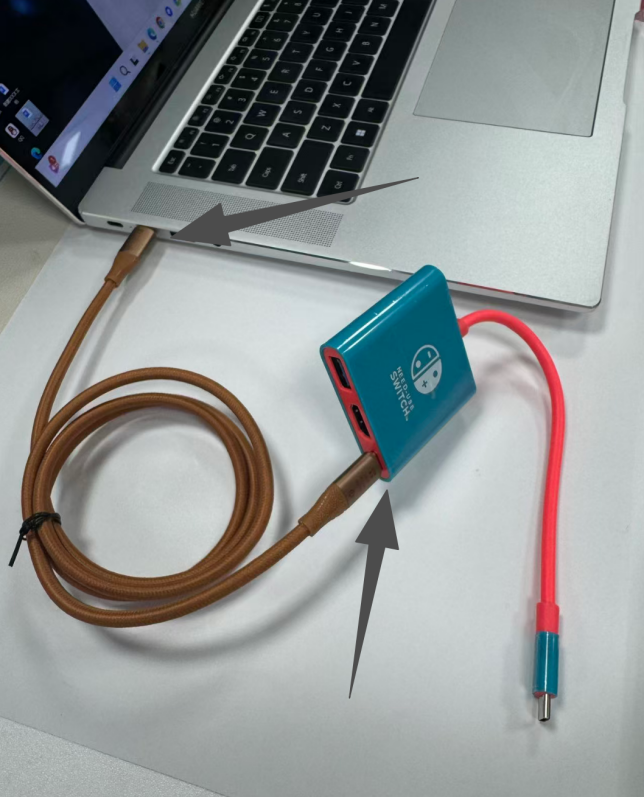
This adapter cable is single-sided. If data cannot be read after insertion, please remove it and flip it over to insert the other side.
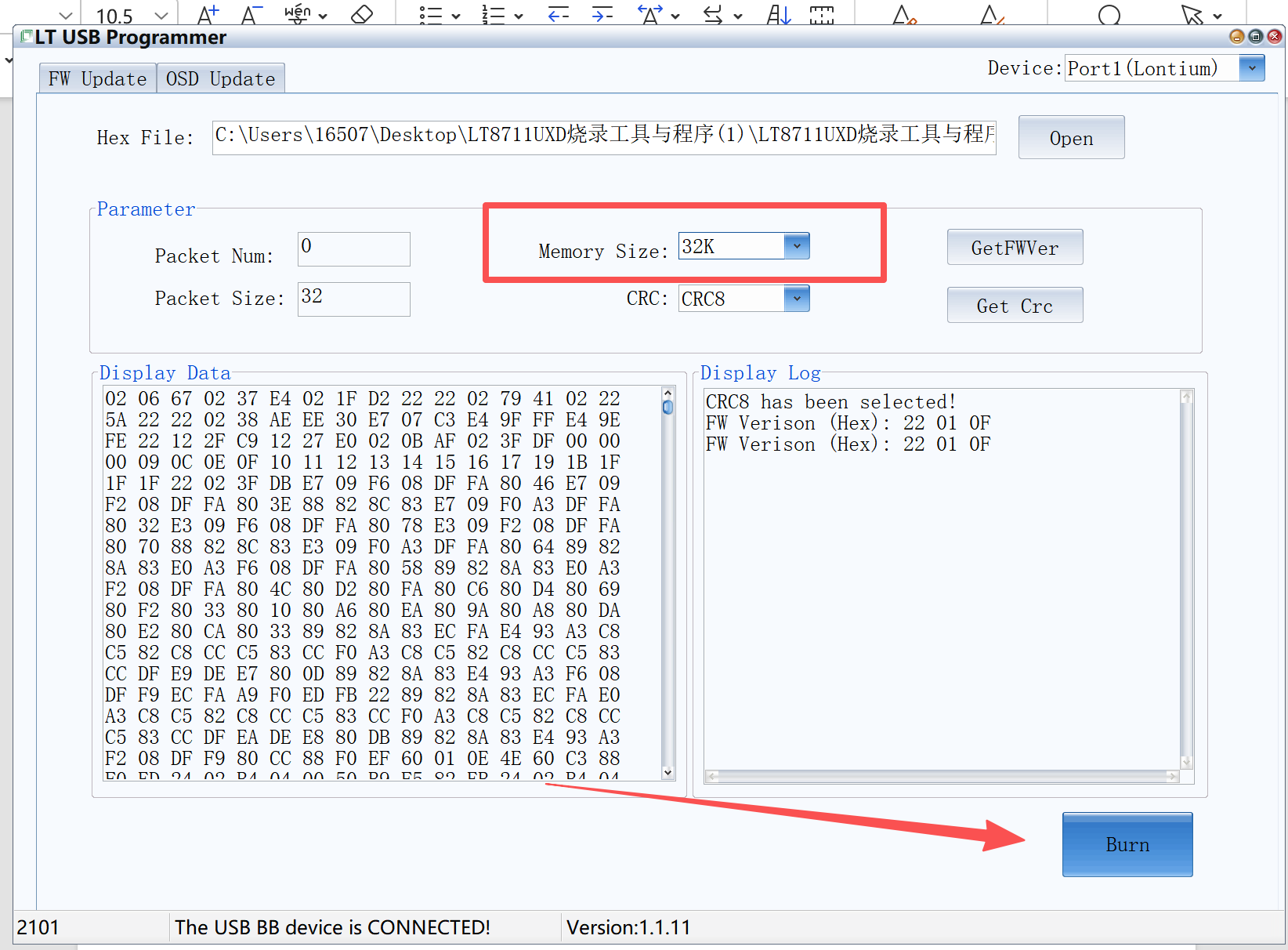
3. After connecting, the PID code will be displayed in the lower left corner (there will be a 'ding-dong' sound once the connection is successful).
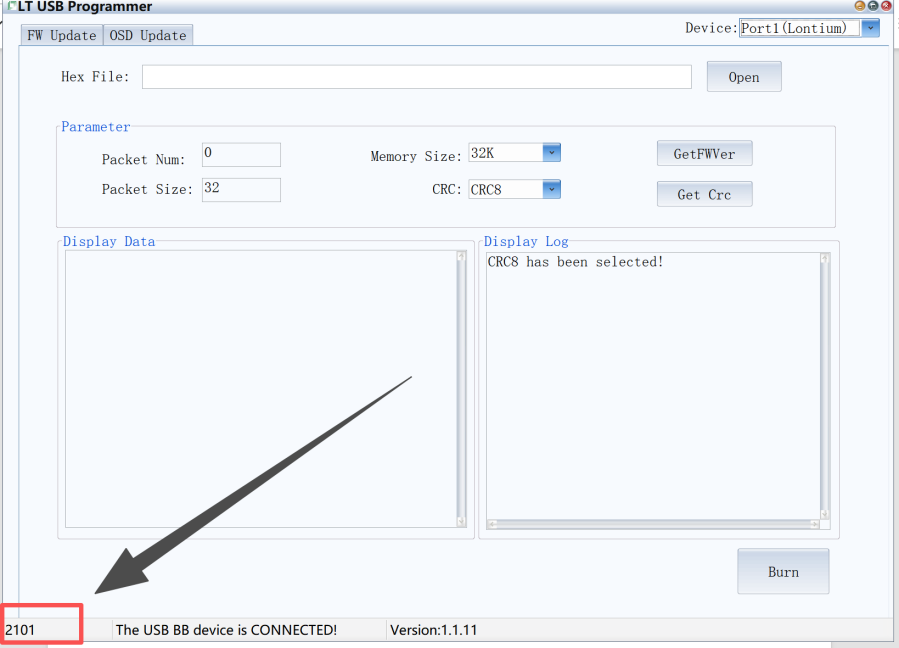
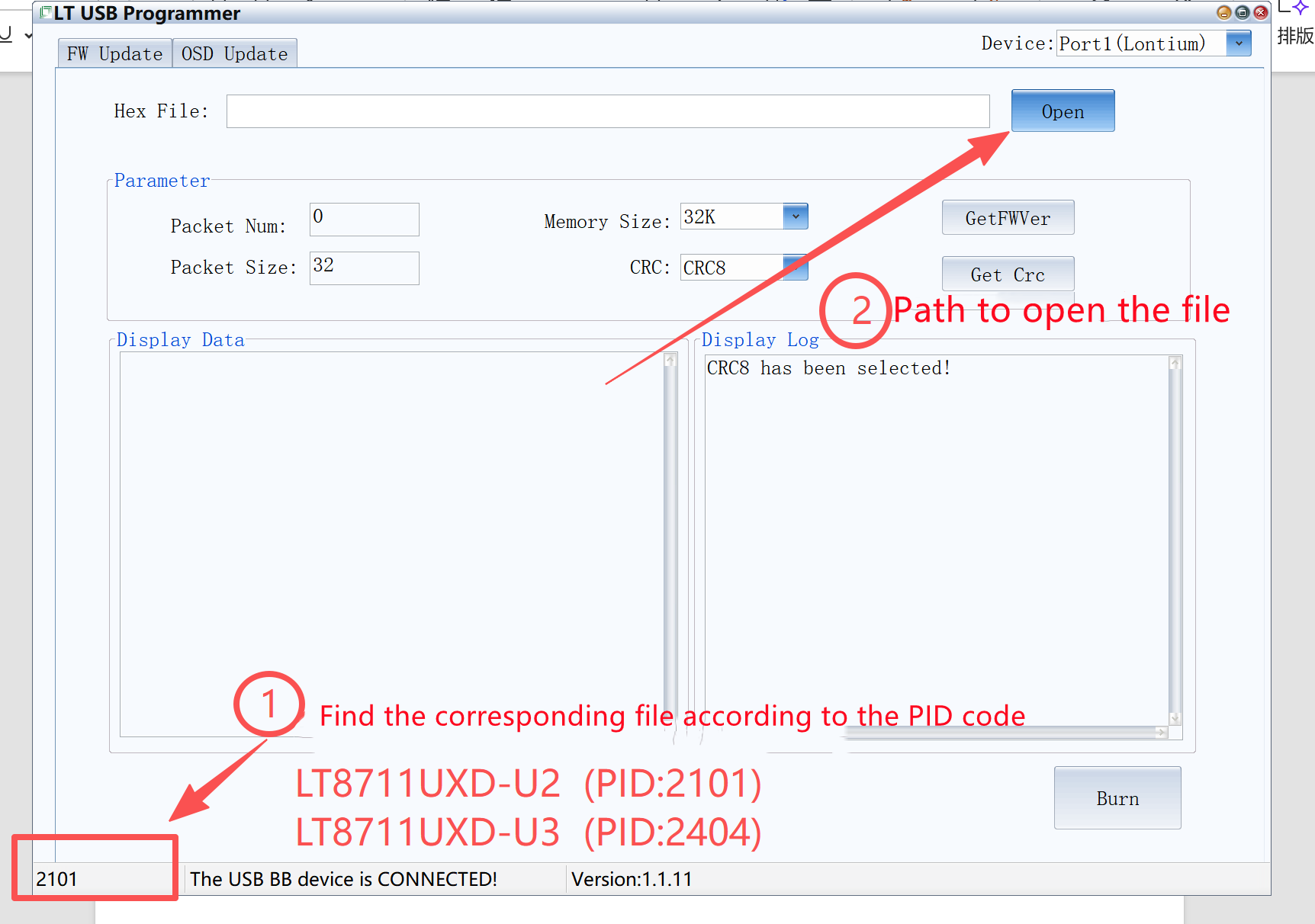
4. Find the corresponding programming software based on the PID code (it will be shown in the file name)
LT8711UXD-U2 (PID:2101)
LT8711UXD-U3 (PID:2404)
You must not choose the wrong file, or the PCBA board will be damaged!!!
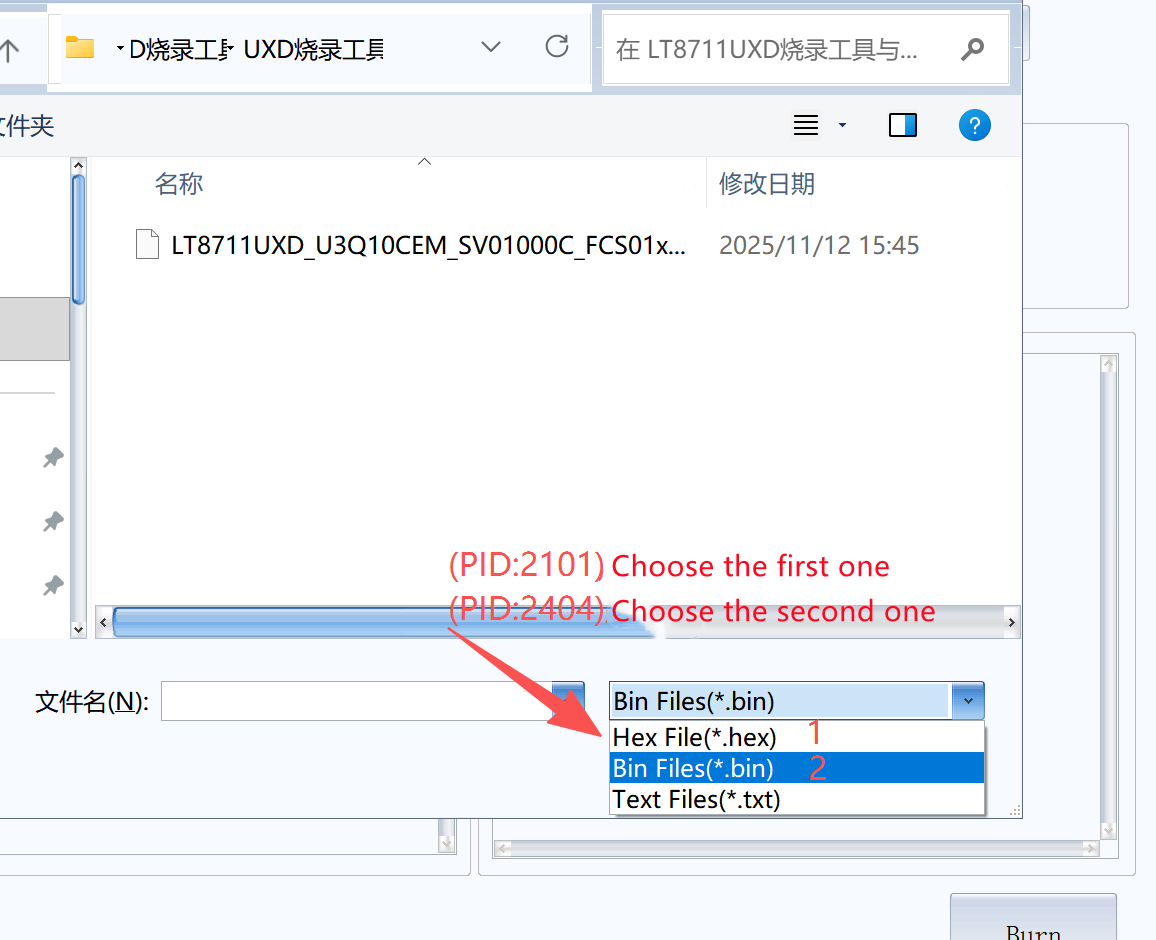
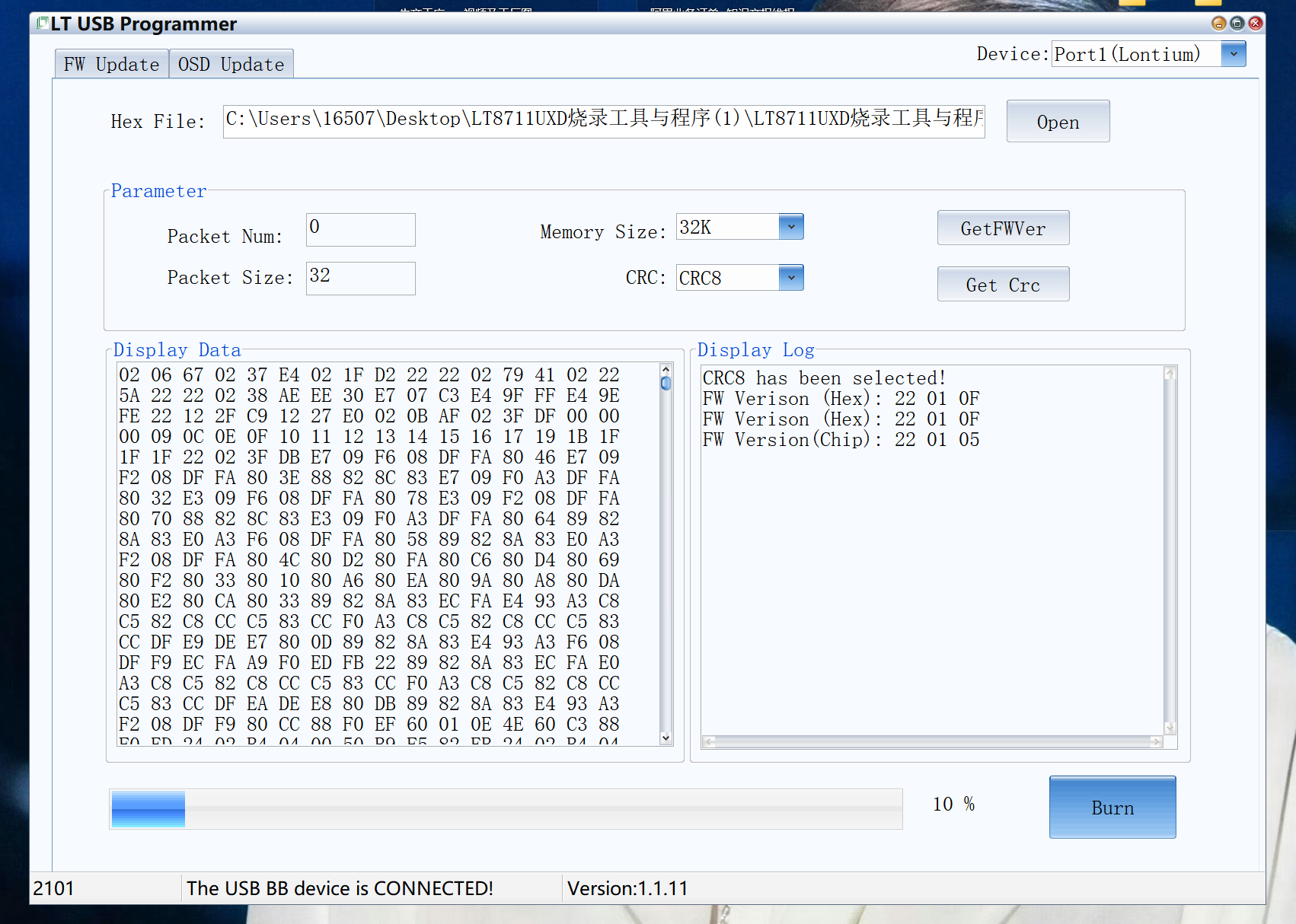
5. Select: 32K, then click run to start the programming. Wait 1-2 minutes for the entire process to complete.
Do not power off during the burning process!!!